Managing your bookings
Everything you book through Beeline is tied to your account, so you can come back to it any time — even in a brand-new conversation.
View your bookings
Just ask:
Show me my bookings.What trips do I have coming up?
Beeline lists your bookings, newest first, as cards you can scan.
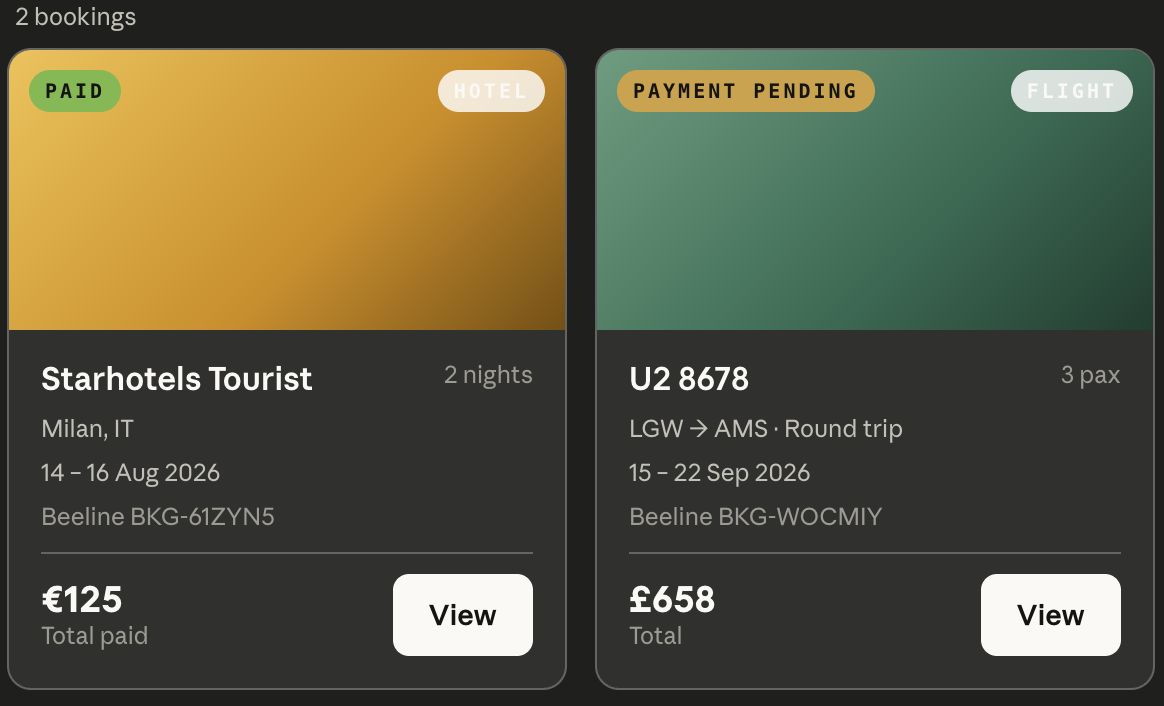
Check a booking's status
Ask What's the status of my Lisbon hotel? and Beeline shows where it stands.
Here's what each status means in plain English:
| Status | What it means |
|---|---|
HELD |
Reserved for you in Beeline only — nothing charged, nothing booked yet. Complete payment within the hour to confirm it; unpaid holds expire on their own. |
AWAITING_CONFIRMATION |
Payment received and the hotel or airline is confirming your booking. You'll get an email as soon as it's done. |
CONFIRMED |
Your booking is confirmed and paid. You'll have a confirmation email. |
DECLINED |
The hotel or airline couldn't confirm the booking. Your card was never charged — just make a new booking. |
EXPIRED |
The hold lapsed before payment. Nothing was charged — just make a new booking (prices may have changed). |
CANCELLED |
The booking has been cancelled. |
If you see DECLINED, you're not out of pocket — your card was never charged.
Just ask Claude to book again, or try a different room, fare, or date. More on
this in Troubleshooting.
Cancel a booking
You can cancel a hotel or a flight by asking — for example,
Cancel my Barcelona flight.
Beeline always previews the penalty first: it shows you what refund you'd get and any cancellation fee, before anything is cancelled. Review that, then confirm to go ahead. Cancellation is irreversible once confirmed, so the preview is your chance to check the cost.
What would it cost to cancel my Lisbon hotel?— shows the penalty preview.Yes, go ahead and cancel it.— confirms the cancellation.